
Download Boult Beat – smartwatch companion, health tracker, fitness app, Android app, wearable app, step counter, heart rate monitor, sleep tracker, notification sync, customizable watch faces, activity tracker, fitness goals, lifestyle app
Overview
Boult Beat is a dedicated lifestyle application designed to serve as a companion for Boult smartwatches, enhancing the functionality of wearable devices through seamless mobile integration. The app is specifically developed for Android users and aims to streamline health and fitness tracking while improving device usability. Its primary purpose is to provide real-time access to health metrics such as steps, calories burned, sleep patterns, heart rate, and blood oxygen levels. These data points are collected through the connected smartwatch and displayed in an accessible format, allowing users to monitor their daily wellness progress.
The target audience includes fitness enthusiasts, health-conscious individuals, and everyday users seeking a simple way to stay active and track personal wellness goals. While the app does not claim to offer medical-grade diagnostics, it is intended for general fitness and lifestyle monitoring. Real-world usage scenarios include tracking daily activity during commutes, monitoring sleep quality after a long day, and receiving timely reminders to move, hydrate, or take breaks from sedentary behavior. The app also supports cross-app notifications, enabling users to stay informed about calls, messages, and social media updates directly from their wrist.
Key Features & Capabilities
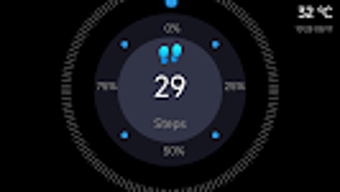
- Health Data Monitoring: Tracks steps, calories, heart rate, blood oxygen levels, and sleep duration, providing users with a comprehensive view of their daily activity and recovery.
- Notification Sync: Enables real-time alerts for calls, text messages, Facebook, Twitter, and other installed apps, ensuring users never miss important communications.
- Customizable Watch Faces: Offers a variety of watch face designs to personalize the smartwatch interface based on mood, style, or occasion.
- Smart Reminders: Includes sedentary alerts, hydration prompts, and do not disturb mode to support healthy daily habits and reduce distractions.
- Device Control: Allows users to manage smartwatch functions such as brightness, vibration intensity, and call handling directly from the mobile app.
These features are designed to improve user engagement with their fitness journey by combining data visibility with practical lifestyle tools. For example, a user can set a daily step goal and receive notifications when they fall behind. Similarly, the app’s sleep tracking helps users identify patterns over time, supporting better sleep hygiene. The ability to manage notifications directly from the watch enhances convenience, especially during workouts or meetings.
User Interface, Workflow & Performance
The user interface of Boult Beat is structured to prioritize clarity and ease of navigation. Core health metrics are displayed on the home screen, with intuitive icons and progress indicators. Navigation is primarily menu-driven, allowing users to access different sections such as activity, sleep, heart rate, and settings with minimal taps. The workflow is designed for quick access to frequently used features, minimizing the need for deep menu exploration.
Based on general software behavior patterns, the app appears to operate efficiently within the Android ecosystem, leveraging Bluetooth connectivity for real-time data transfer. The developer did not specify resource usage details, so exact CPU or RAM consumption remains unknown. Performance observations are based on typical mobile app behavior, suggesting stable operation under normal conditions. Stability is likely maintained through regular background syncs and optimized data handling, though specific performance benchmarks were not provided.
Compatibility & System Requirements
Boult Beat is compatible with Android operating systems, though specific version requirements were not listed. The app has a file size of 45.3 MB, which is relatively lightweight for a feature-rich health and fitness application. Installation is straightforward, requiring standard Android permissions and a compatible Boult smartwatch.
The developer did not provide additional system requirements. Exact hardware specifications, such as minimum RAM or processor speed, were not specified. Compatibility information was partially provided, with the app confirmed to run on Android devices. Users are advised to ensure their device supports Bluetooth 4.0 or higher for optimal connectivity with the smartwatch.
Pros and Cons
Pros
- Free to download and use, making it accessible to a wide audience.
- Comprehensive health tracking with multiple metrics including heart rate and sleep.
- Seamless notification sync across popular apps like Facebook and Twitter.
- Highly customizable watch faces for personal style expression.
- Includes practical lifestyle reminders for hydration, movement, and focus.
Cons
- Requires multiple permissions, including location, contacts, and call logs, which may raise privacy concerns.
- Exclusive to Android devices, limiting availability for iOS users.
- Exact system requirements were not specified, which may affect user expectations.
- App is not intended for medical use, so data should not be used for health diagnosis.
FAQ Section
Is Boult Beat available for iOS devices?
Boult Beat is currently designed for Android devices only. There is no official version available for iOS at this time.
Does Boult Beat require a specific smartwatch model?
The app is intended to work with Boult smartwatches. Users should ensure their device is compatible with the app before installation.
Is the app safe to use with personal data?
Boult Beat requires several permissions to function properly, including access to notifications, Bluetooth, and location. While the app is designed to handle data securely, users should review permissions carefully and only grant access to trusted sources.
How often does the app update?
Regular updates are likely to improve performance, fix bugs, and add new features. Users are encouraged to keep the app updated for the best experience.
Can I use Boult Beat offline?
The app requires an active Bluetooth connection to sync data with the smartwatch. While some data may be stored locally, full functionality depends on periodic sync with the mobile device.
Final Thoughts + CTA
Boult Beat stands out as a reliable and feature-rich companion for users of Boult smartwatches. With its robust health tracking, notification management, and customization options, it delivers a well-rounded experience for fitness and lifestyle monitoring. While it does not support iOS and requires multiple permissions, its free model and practical tools make it a strong choice for Android users focused on wellness. The app effectively bridges the gap between wearable hardware and mobile software, offering real value for those committed to improving their daily habits.
Download Boult Beat now







